Speak a new language out loud with Vocal Buddy, or keep chatting in ChatGPT and Claude. English, German, French, Spanish, Portuguese, Chinese — whatever you are learning, the words you stumble on land in one notebook, defined, pronounced, and synced.
Vocal Buddy exposes one MCP endpoint, so it connects to any assistant that speaks remote MCP.* Gemini CLI, the Gemini API, and Gemini Enterprise. The consumer Gemini app cannot add custom MCP connectors yet.Product names and logos are trademarks of their respective owners. They appear here to describe compatibility and do not imply endorsement, sponsorship, or partnership.
Core Features
🎙️
Voice Conversations
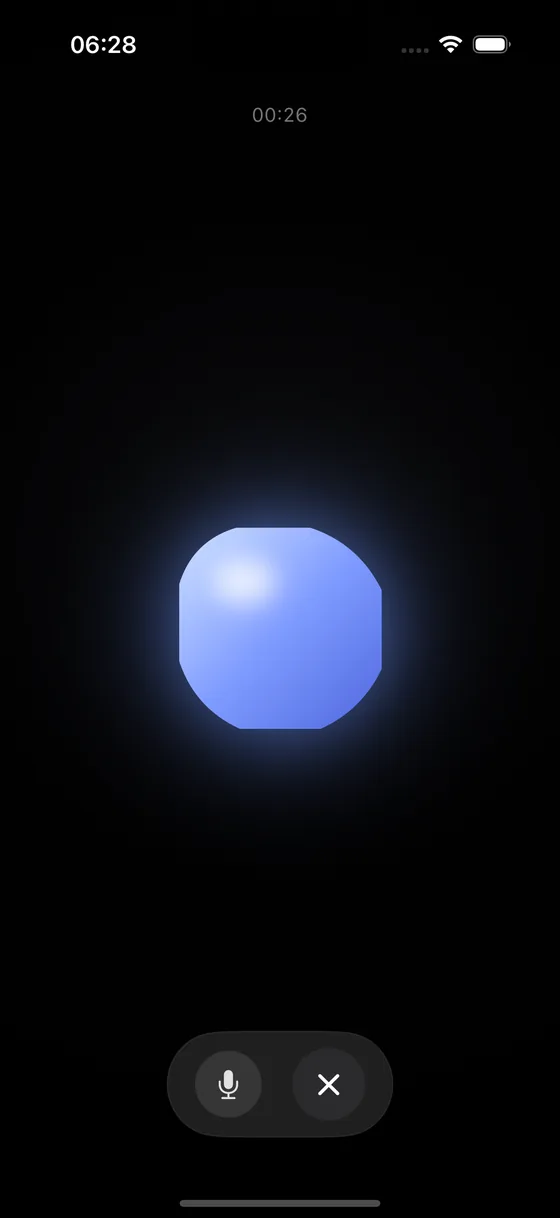
Hold a real spoken conversation in the language you are learning. The words you trip over are captured while you talk, so you never stop to take notes.
🤖
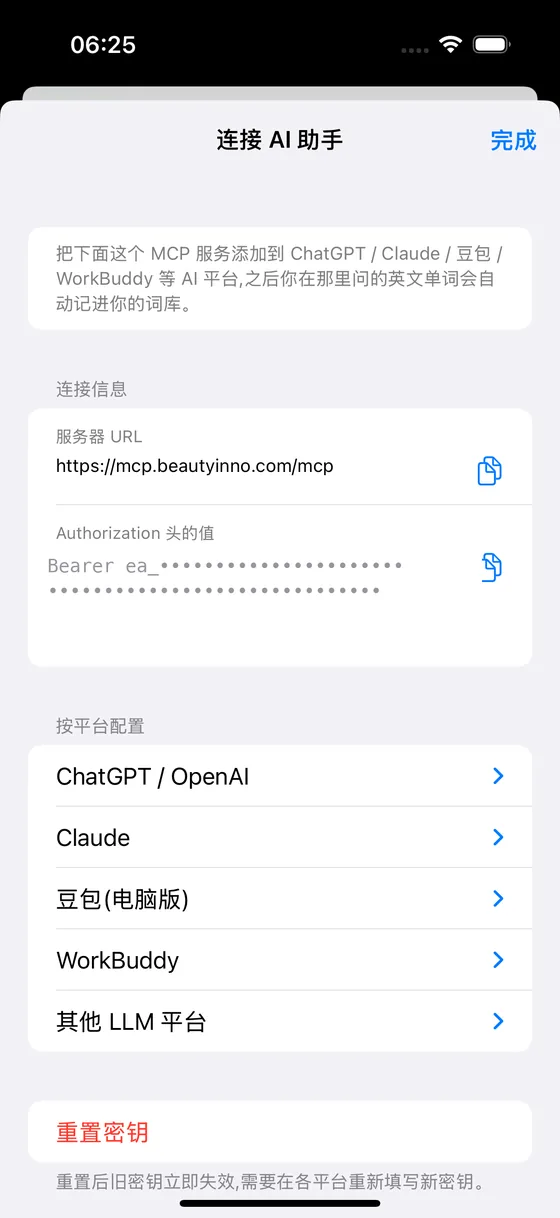
MCP Auto-Capture
Words you discuss in ChatGPT or Claude are automatically saved via MCP protocol. No copy-paste needed.
🔄
Cloud Sync
Bidirectional sync between iPhone, Mac, and server. Your vocabulary is always up to date.
📖
Rich Word Cards
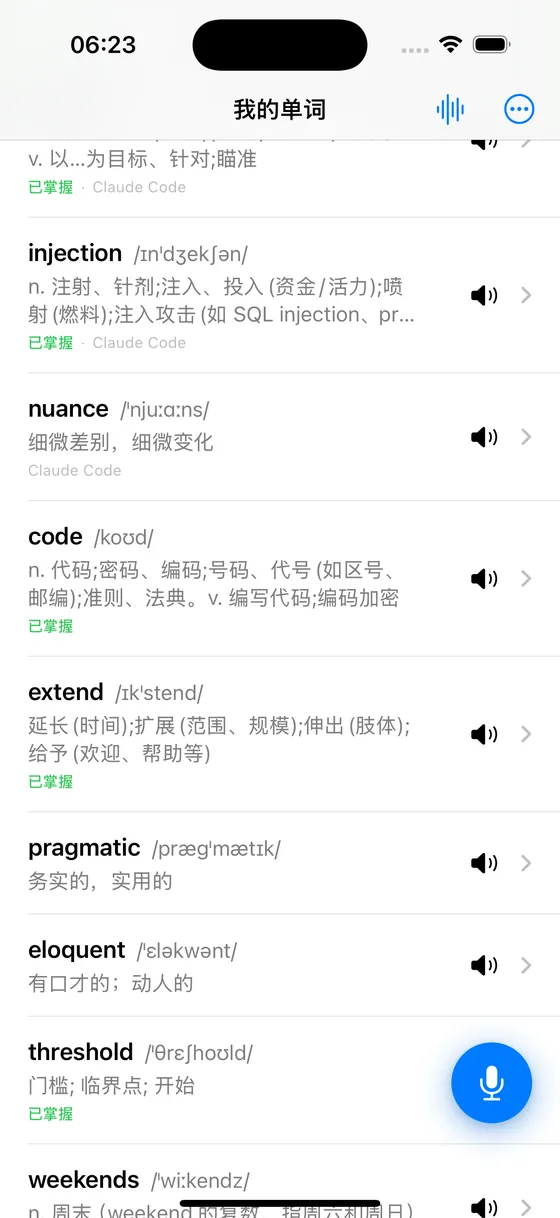
A definition in your own language and one in the word's, plus phonetics, example sentences, and the original AI conversation context.
🔊
Pronunciation
Hear every word read aloud with system speech synthesis — including both American and British English.
📱
Works Offline
Your whole notebook lives on the device. Look words up on a plane; it syncs when you are back online.
🏷️
Learning Status
Track each word as New, Learning, or Mastered. Focus your review on what matters.
🖥️
E-Ink Desk Display
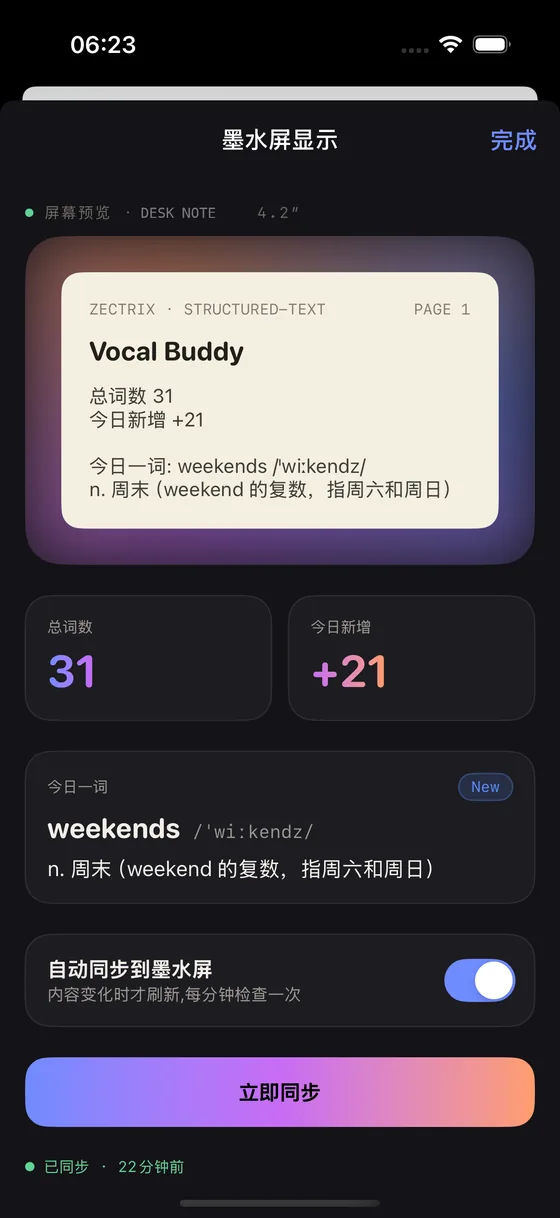
Push your word count and word of the day to a Zectrix e-ink screen. It refreshes only when something actually changes.
Inside the App
Real screens from a working notebook.
A spoken conversation in progress. Words you trip over are caught while you talk.Your notebook, with the definition, phonetics, and where each word came from.One MCP endpoint connects ChatGPT, Claude, 豆包, and WorkBuddy.Word count and word of the day, pushed to an e-ink screen on your desk.
Two Ways In, One Notebook
Speak
Open Vocal Buddy and start talking in the language you are learning.
Hit a word you don't have yet — it gets caught mid-sentence, without interrupting you.
When the call ends, choose which of the caught words to keep.
Chat
Keep using ChatGPT, Claude, or 豆包 exactly as you do now.
Ask the assistant to record a word; MCP sends it straight to your server.
It shows up in the notebook already looked up.
Both paths land in the same notebook. The server fills in definitions, phonetics, and example sentences, then syncs everything to your iPhone, your iPad, and your e-ink display.
Get Vocal Buddy
Same account, same vocabulary — everything syncs. Current beta · 1.1.0 — iOS build 2608301012 · macOS build 2608301111
iPhone
Requires iOS 17 or later
The full experience: voice conversations, one-tap word capture, and MCP auto-capture from your AI chats.